Open the app. See whose turn it is.
Orange Baton is job management for small field-service companies — electrical, interior, remodeling, equipment — that run on a spreadsheet and a chat today. Every job has exactly one baton: the next step, and the person holding it. Open the app and the jobs waiting on you are already there. Finish, tap Pass, and the next person is notified. There is nothing else to fill in.
What Orange Baton is
- Your turn, first
- One baton per job
- Pass in one tap
- One kind of notification
- Workflow templates
- Free for one person
- Any number of members
A few taps a day, instead of a spreadsheet.
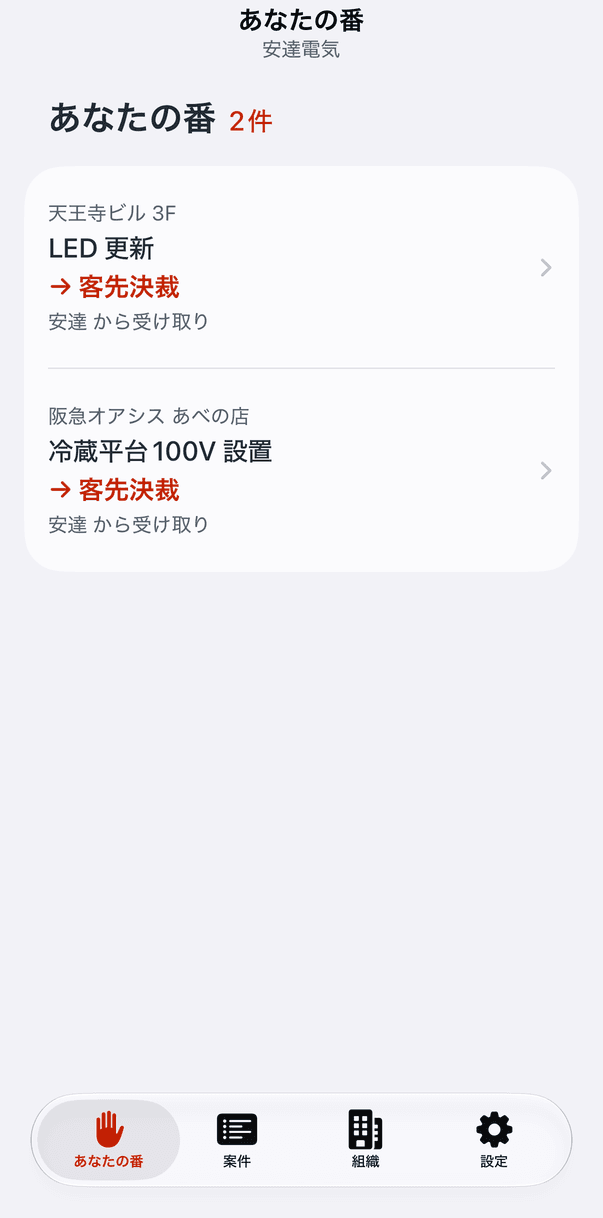
Your turn
Open the app and the jobs waiting on you are the first thing you see: the site, the job, the stage you have been handed, who passed it, and a due date if one was set. Nobody else's jobs are in the way.
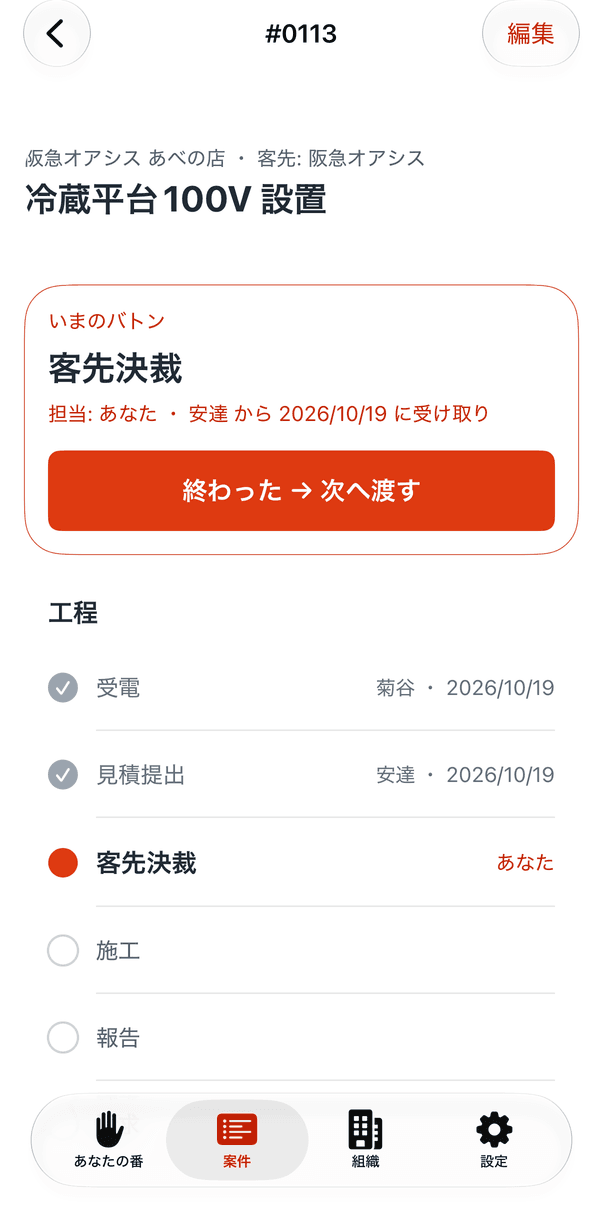
Done → Pass
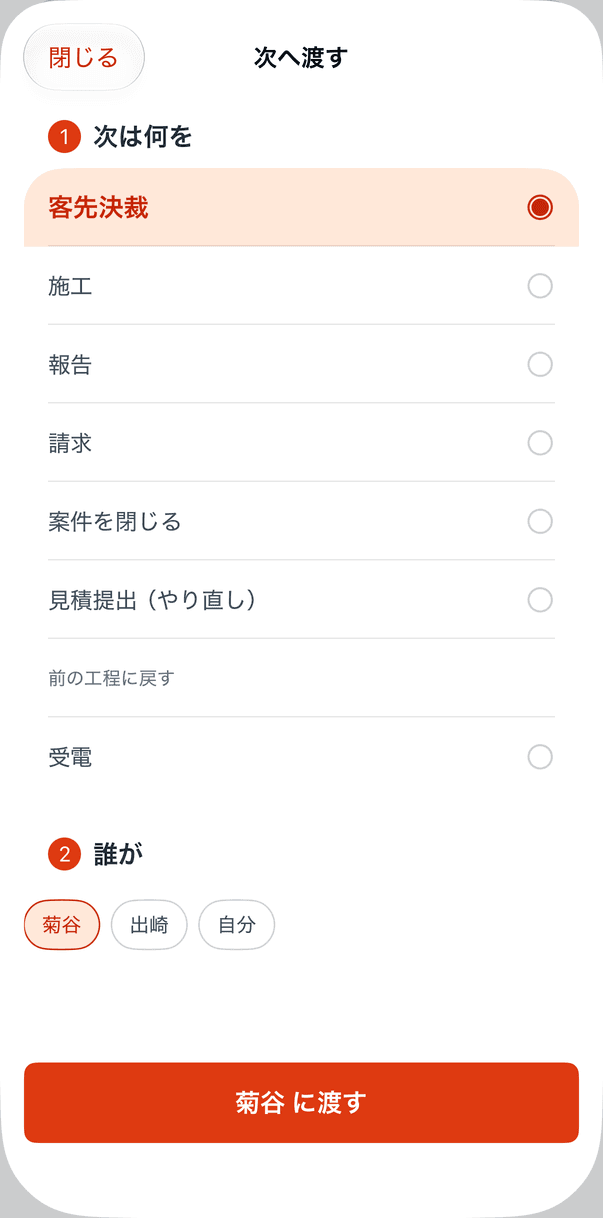
On the job, tap Done → Pass. The next stage and the most likely person are already selected — the stage from the job's workflow, the person who last held that stage — so the usual case is one tap. Pick something else and it is two.
The next person gets one notification
The baton moves. The notification names the job and the stage, and tapping it opens the pass screen. When the last stage is done, pass to Close project instead. There is no other notification in the app.
The app, as it is.
The screens of the app, from an electrical contractor's jobs. The English screens are coming; these are the Japanese ones.
- 9:41
Your turn
- 9:41
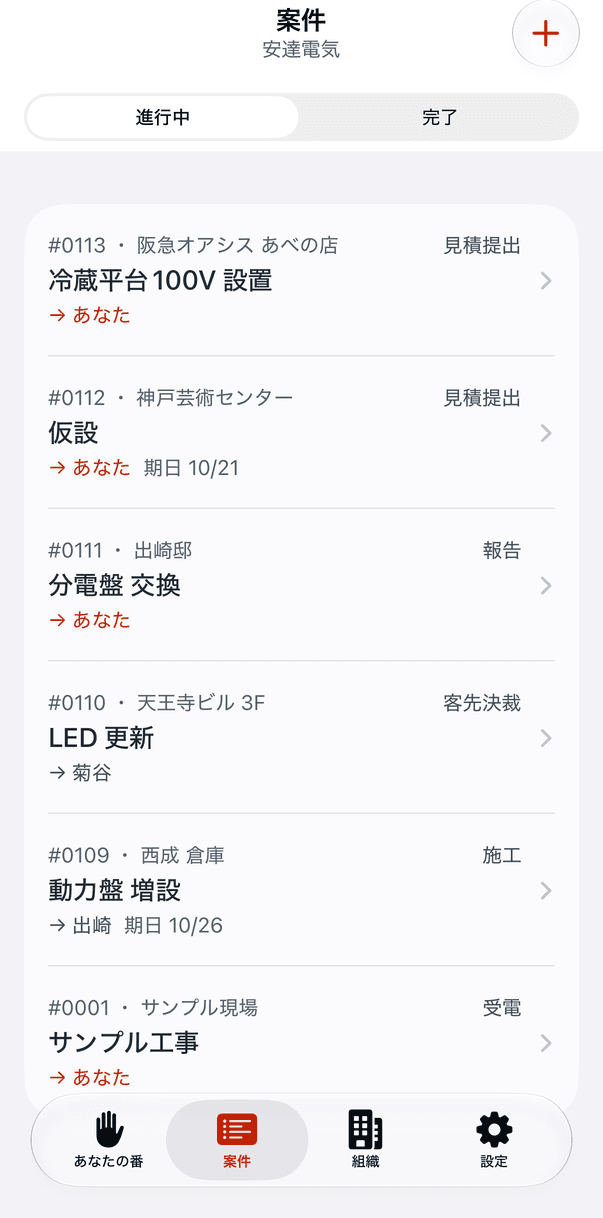
Every job, with its holder
- 9:41
The current baton and the stages
- 9:41
What's next, and who
- 9:41
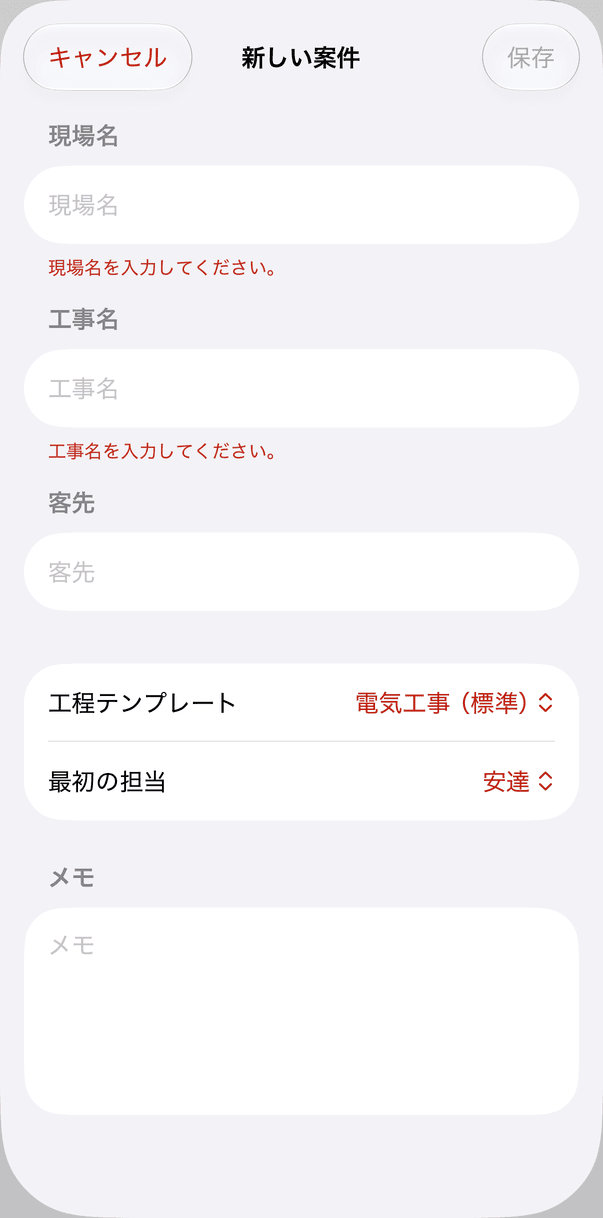
A new job from a template
Built for the office and the van.
Orange Baton replaces the one row in the spreadsheet that nobody updates. It does not try to replace the chat, the files or the accounting; those stay where they are. What it leaves out is the product.
- Electrical work
- Interior
- Remodeling
- Equipment
- HVAC
- Plumbing
- Signage
- Small repairs
Stages from a template
Received → Quote → Approval → Work → Report → Invoice, or your own order. Each job copies the template, so you can insert a stage on one job without touching the rest.
One baton per job
A job always has exactly one next step and one holder, so “whose is this?” never needs asking in the chat.
Redo, or go back
Pass the same stage again, or back to an earlier one. The history keeps every hand-off, with who and when.
Close and reopen
When the last stage is done, pass to Close project. If the job comes back, reopen it at any stage.
A due date and a note, optional
Add a due date or a short note when you pass. Both are optional, and nothing nags.
Organizations and members
A company is an organization. Admins manage templates and stages; members pass their own batons. Everyone sees every job.
The same app at the desk and on site
Nothing to install for the office. iPhone, in English and Japanese.
What it does not do
No Gantt chart, no kanban, no file storage, no chat, no automatic reminders. Those are why the last tool got abandoned.
Free for one person. One price for the team.
You pay for one thing only: using it as a team. Any number of members, with no per-seat price.
Personal
$0
Your own organization with a sample job, to see how the baton moves. One job.
- One job, the sample included
- Every screen of the app
- No time limit
Team
$19.99/mo
The organization your company works in, where everyone passes batons to each other. Two weeks free on either plan.
- Any number of members, no extra charge
- Jobs without counting them (up to 300 active)
- Workflow templates for the company
- One notification when it is your turn
- Cancel anytime in Settings
Prices are in US dollars; other storefronts follow Apple’s equalized pricing. The organization’s owner pays, through the App Store. Subscriptions renew until cancelled, and you cancel them in Settings, Subscriptions. The free trial is once per Apple Account.
Frequently asked questions
If you have anything else you want to ask, reach out to us.
Who is it for?
Companies of 5 to 20 people with people on site — electrical, interior, remodeling, equipment — that manage jobs in a spreadsheet and a chat today.
What is a baton?
The next step of a job, and the person who holds it. A job has exactly one baton at a time. Passing it is the only thing you do in the app.
Do I need to set up stages first?
No. Every organization starts with a default template: Received, Quote, Approval, Work, Report, Invoice. Admins can edit it or add templates, and a new job copies the template you pick.
Can I skip a stage, or go back?
Yes. When you pass, every stage is in the list: the upcoming ones first, then Close project, then the current one again, then the earlier ones. A skipped stage is marked as skipped.
What does the notification say?
The job and the stage you have been handed, and who passed it. Tapping it opens the pass screen for that job. There is no other notification.
What if two people pass the same baton?
The second one is told it has already been passed, and nothing is duplicated.
Can I use it alone?
Yes, free. Your personal organization holds one job with a sample, enough to see how it works. Passing to someone else needs a team organization.
How do I invite my team?
In Organizations, invite by email. The invitation carries a link that opens the app, and a code for people who prefer to type it.
What does Team cost?
$19.99 a month or $199.99 a year for the organization (the US price; elsewhere, Apple sets the price in your local currency), paid by its owner through the App Store, with two weeks free. Members are not charged, and there is no per-seat price.
Is there a limit?
Up to 300 active jobs per organization. Closed jobs do not count. That is well above a company doing 100 jobs a month.
Is there a web version, or Android?
Not yet. iPhone first; Android is planned. The notification is the point, so the app is native.
What iOS version do I need?
iOS 27 or later.
How do I delete my account?
Settings, Profile, Delete My Account. If you own an organization, it is deleted with its jobs; the organizations you joined as a member keep theirs.